

Background
Traditional local SQL clients like DBeaver and Navicat carries security limitations that Bytebase’s centralized approach solves:
Below we walk through a two-environment example, one for test and one for production. The principle is to provide maximum security for production while keeping developer productivity for test. Query access, just-in-time access, and audit logging apply to both environments alike; the only environment-specific choice is where DDL and DML statements may run directly — and that choice is made in the role grant itself.
Fine-Grained Query
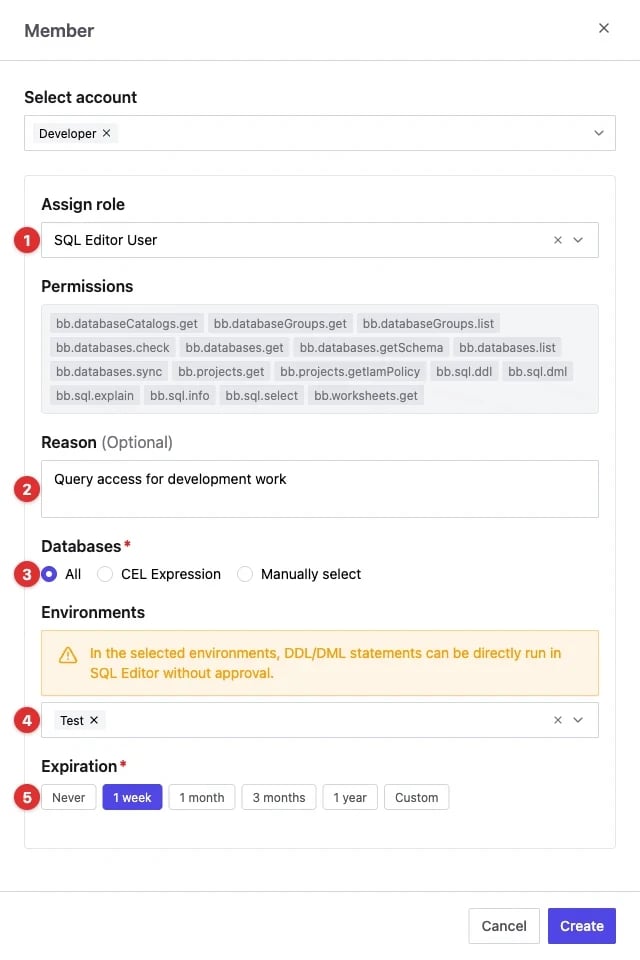
Users need to be granted explicit permissions to query the data from SQL Editor. The most straightforward way is to grant theSQL Editor User role to the user inside
the project.
- Specify
SQL Editor Useras the role. - Specify a reason.
- Grant the access to all databases in the project or fine-grained to specific databases, schemas, and tables.
- Select the environments where DDL and DML statements may run directly — for this setup, test only. See DDL and DML Execution.
- Specify an expiration date.
DDL and DML Execution
Whether a user can run DDL and DML statements directly in SQL Editor is part of their database permissions (bb.sql.ddl, bb.sql.dml), scoped to the environments selected when granting the role (step 4 above):
In production, where the grant does not cover DDL/DML, SQL Editor directs the user to create a database change plan and follow the change workflow instead.
Just-In-Time Access
You may disallow any production access by default and only allow temporary access on-demand. Users can request temporary access via the SQL Editor. You will configure the custom approval policy to designate the approvers.Audit Logging
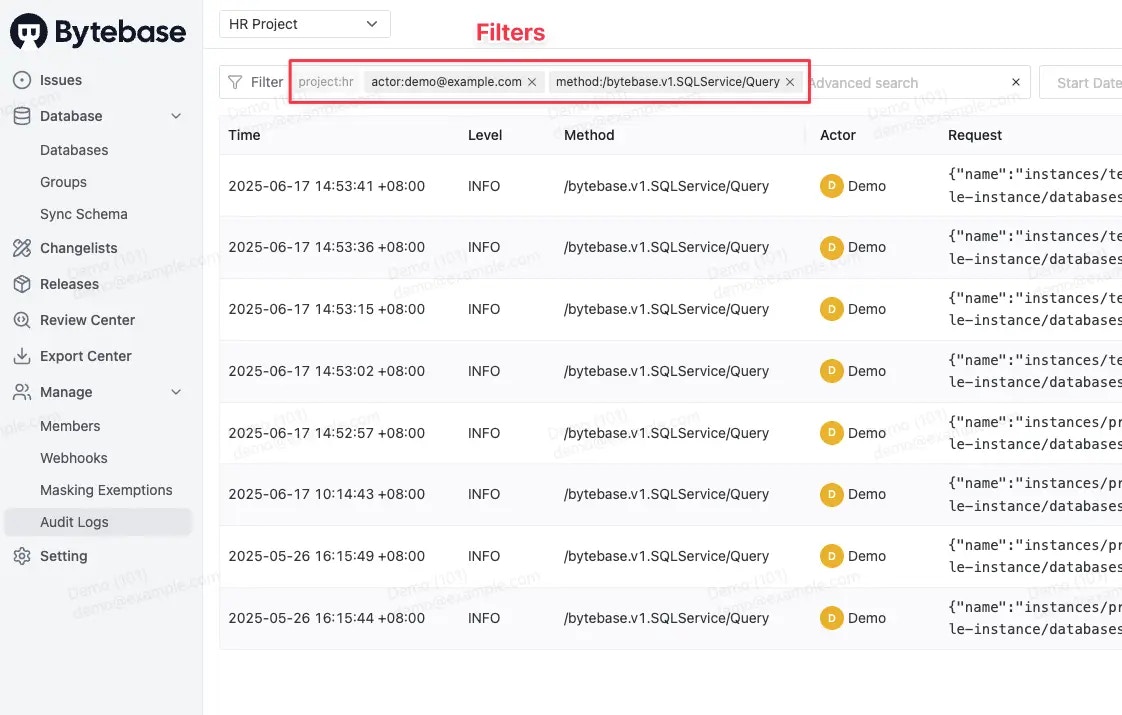
For data privacy reasons, Bytebase does not log the actual data in the query result.
- Dashboard
- Sample Request Log
- Sample Response Log


Summary
Below is a summary of the access control settings for the test and production environments.
You can extend the solution by exploring the following features:
- Create user groups and enable directory sync to automate the role assignment.
- Configure data masking to mask sensitive data.
- Use Terraform to codify all the settings.