To prevent excessive processing time, SQL Review skips parsing-based checks when the SQL being reviewed exceeds the size limit. The built-in default is 2 MiB (2,097,152 bytes) for the complete SQL text, including all statements. Exceeding it returns a Warning, not a successful review. A configured rule can change the limit and severity; see SQL size limit.
How SQL Review Works
SQL Review operates as an automated gatekeeper in your database change workflow:- Automatic Triggering: Activates whenever database changes are created or modified
- Rule Evaluation: Checks SQL statements against your configured review rules
- Instant Feedback: Provides immediate validation results with actionable insights
- Enforcement Levels: Applies Error, Warning, or Disabled status based on your policy configuration
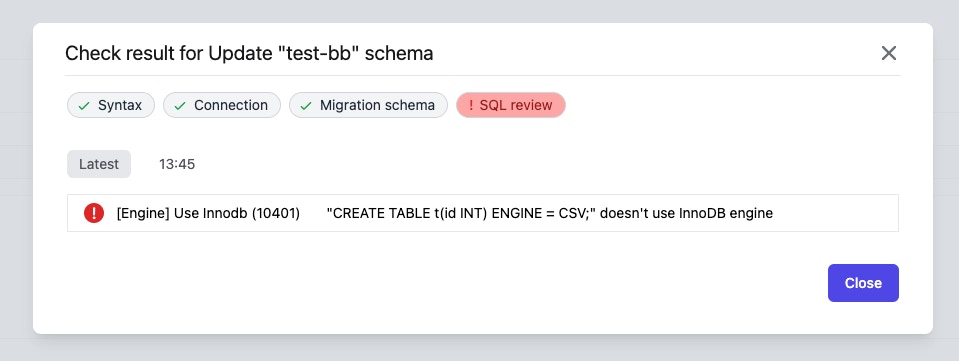
- Compliance with configured SQL Review Rules
- Database connectivity and compatibility
- SQL syntax correctness
- Schema migration tracking
- Performance implications
- Security best practices
Setting Up SQL Review
Tutorial: SQL Review with Bytebase GUI
Step 1: Create a Review Policy
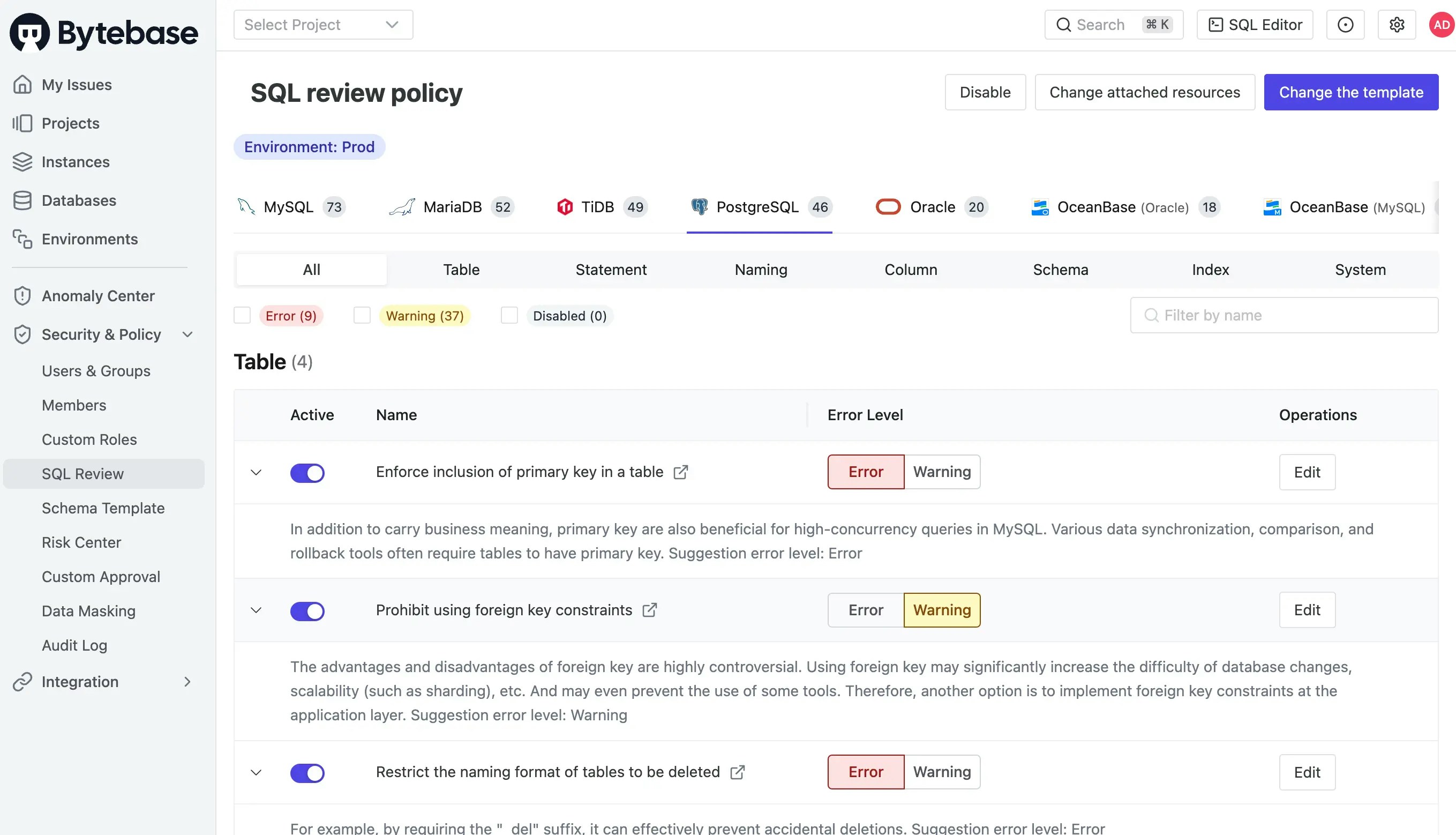
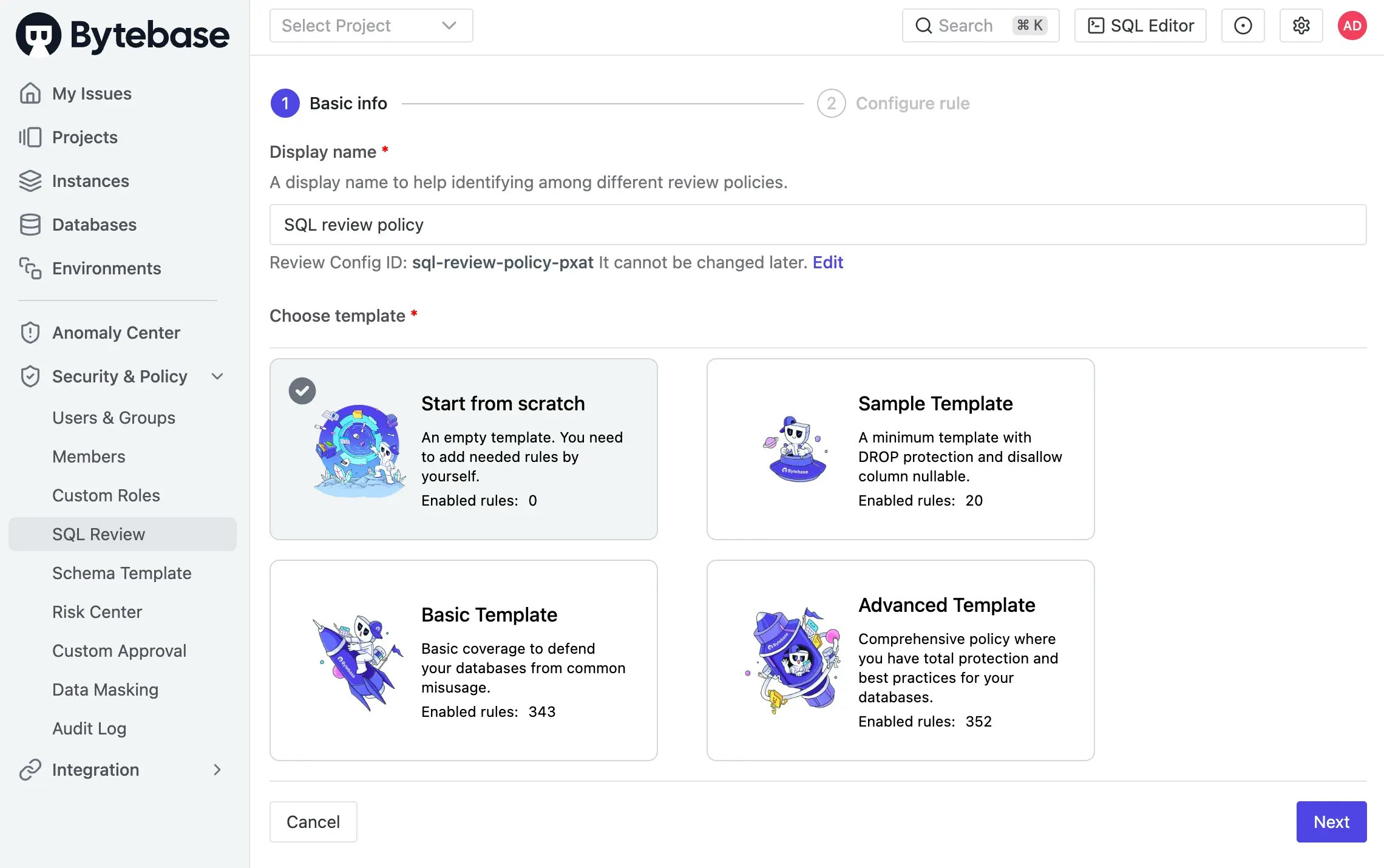
Navigate to CI/CD → SQL Review in the workspace sidebar. You can create a new policy by:- Starting from a template: Choose a predefined template based on best practices
- Building from scratch: Select specific rules for your requirements
Step 2: Configure Review Rules
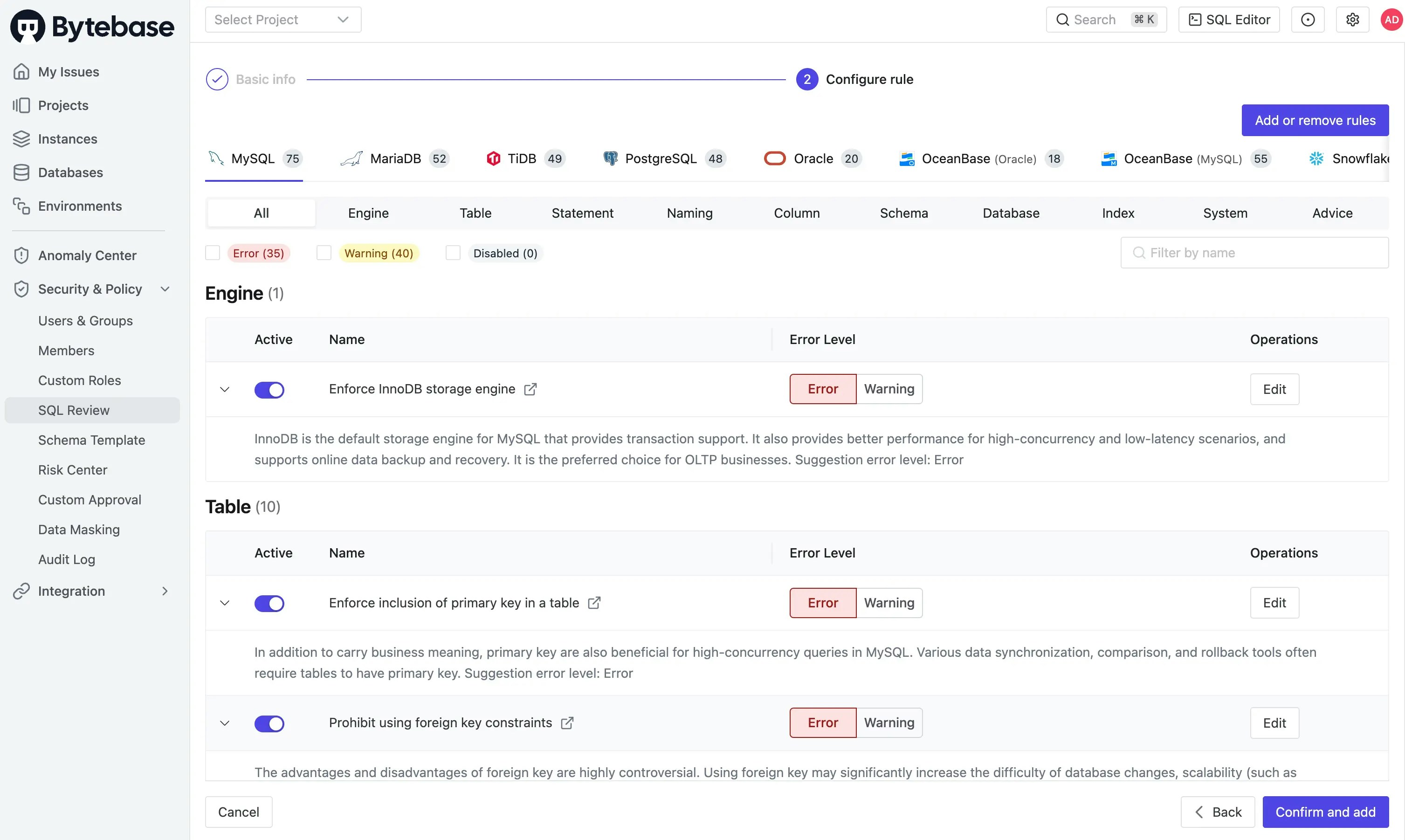
Select and configure the SQL Review Rules for each database engine your policy will support. For each rule, set the enforcement level:- Error: A violation produces an error finding; required passing-check gates can block deployment
- Warning: A violation is reported; blocking depends on the workflow’s configured gates
- Disabled: Rule is not enforced
The project setting Require plan checks to pass before creating rollout blocks errors; warnings alone do not block it. In CI,
FAIL_ON_ERROR blocks errors and FAIL_ON_WARNING also blocks warnings. See rollout requirements and SQL Review in CI.Step 3: Attach Policy to Resources
Attach your SQL Review Policy to specific environments or projects to activate it: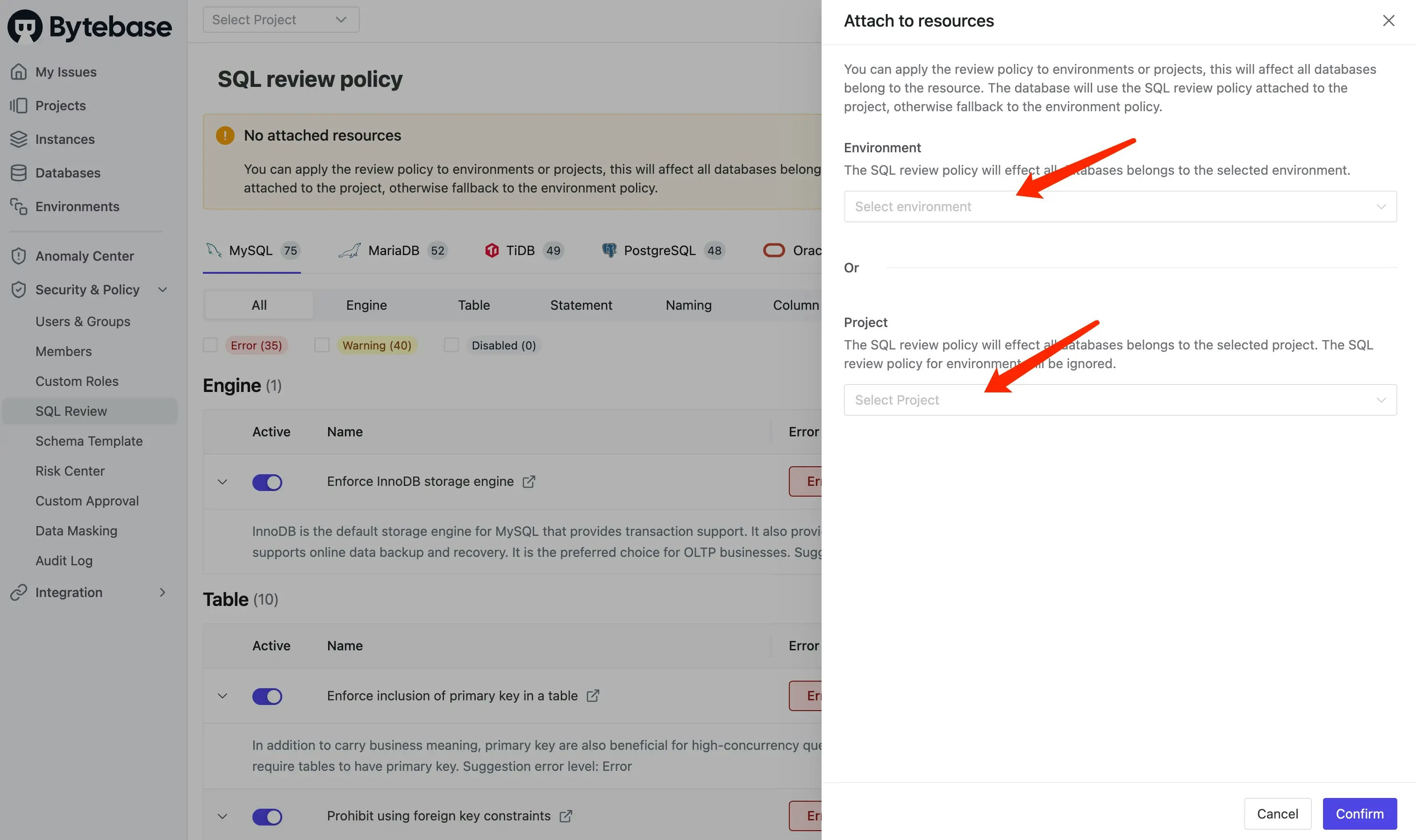
Policy Configuration
Tutorial: Codify SQL Review Policies with Bytebase API
Required Permissions
To configure SQL Review Policies, you need one of the following roles:- Workspace Admin: Full access to create and manage policies across all environments and projects
- DBA: Can create and manage policies for database administration purposes
Policy Scope and Application
SQL Review Policies operate at two levels with different scopes and access points:
You can also manage all policies centrally from CI/CD → SQL Review in the workspace sidebar.
Bytebase selects the enabled policy on the database’s effective environment, falling back to its project policy. The policies are not merged. Only one policy can be attached per environment or project. Built-in checks still apply unless overridden by matching configured rules.
Managing Rules
Add or Remove Rules
Customize your policy by adding or removing rules specific to each database engine: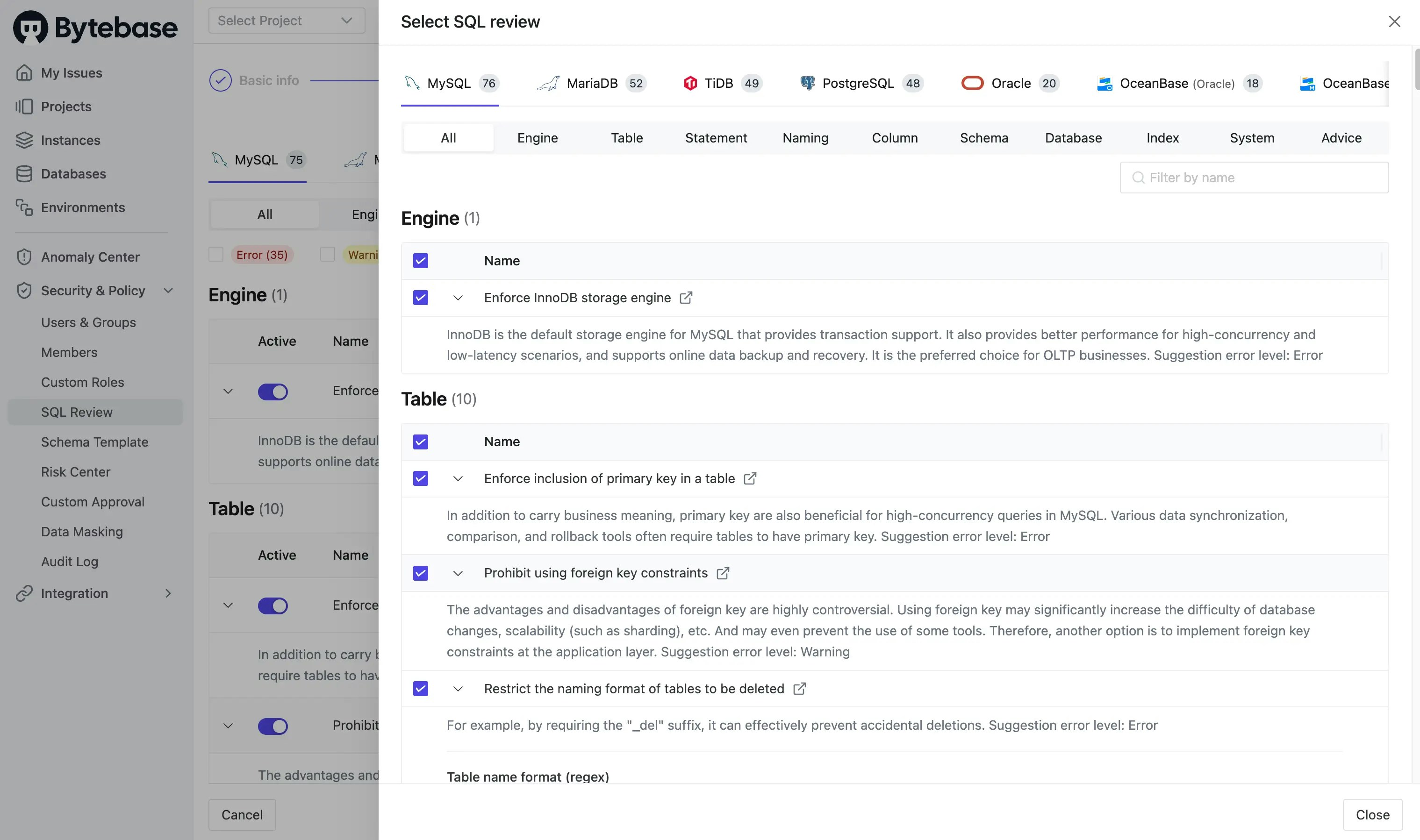
Adjust Rule Severity
Fine-tune enforcement by adjusting rule levels based on your team’s requirements:- Use Error for critical standards that must never be violated
- Use Warning for best practices that should be reviewed
- Use Disabled to temporarily or permanently skip specific checks
Policy Management
Disable a Policy
Temporarily disable a policy without deleting it when you need to:- Perform emergency fixes
- Test new rule configurations
- Accommodate special deployment scenarios
Delete a Policy
Remove policies that are no longer needed:- First disable the policy to ensure it’s not actively in use
- Then delete it from the policy list