> ## Documentation Index
> Fetch the complete documentation index at: https://docs.bytebase.com/llms.txt
> Use this file to discover all available pages before exploring further.
# Changelog
Every time Bytebase applies a change to a database, it records a **changelog** entry. Each entry captures a snapshot of the schema after the change, along with a link to the rollout task that produced it.
The changelog was previously called change history.
## View the changelog
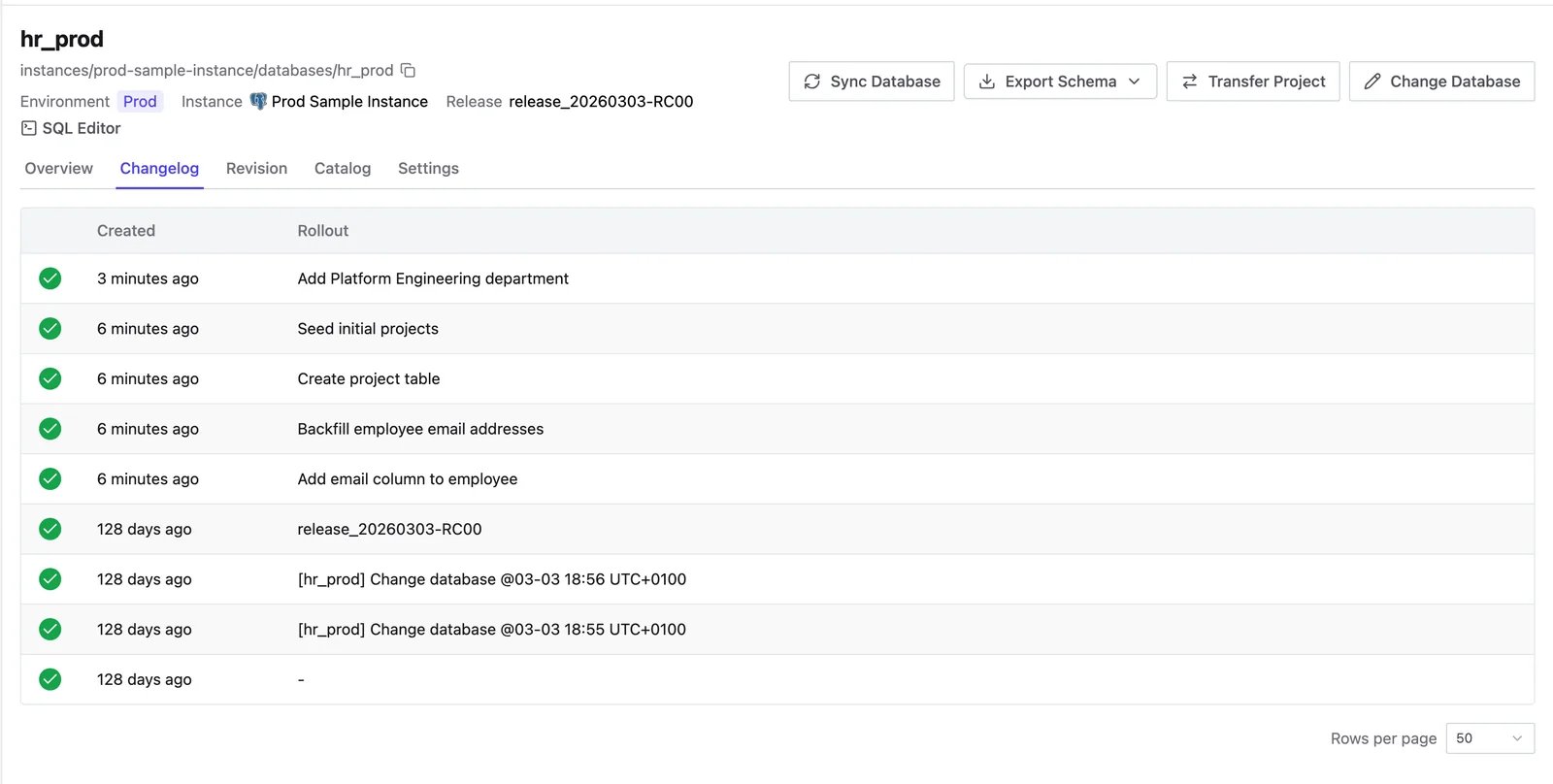
Open a database and select the **Changelog** tab to see every change Bytebase has applied, most recent first. Each entry shows its status, when it was created, and the rollout it came from. The first migration on a database also creates a baseline entry that records the starting schema.
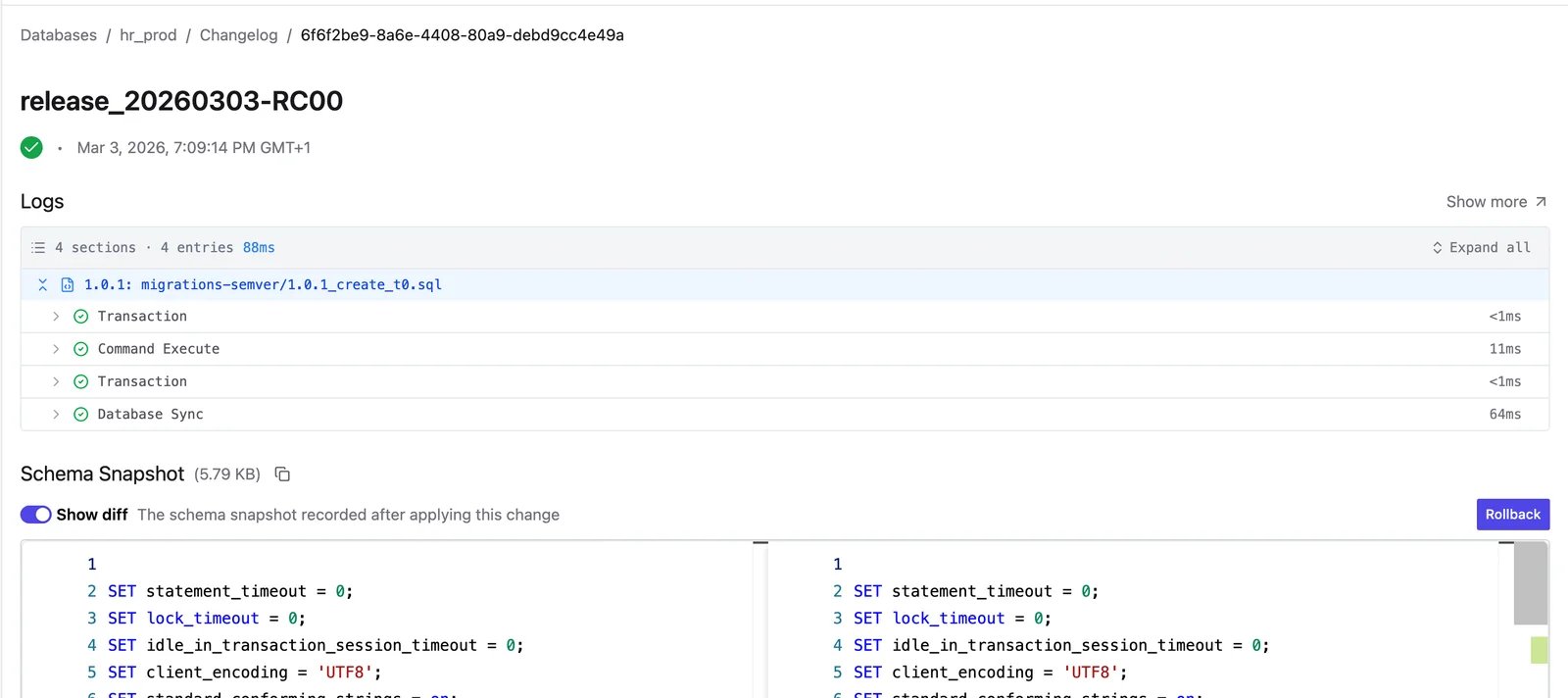
 Open an entry to view the schema snapshot captured after the change. Bytebase diffs it against the previous entry's snapshot so you can see what the migration altered. The SQL that ran is available through the linked rollout task's run logs.
 ## Roll back a change
From a changelog entry, select **Rollback** to revert the database to the schema snapshot from the previous changelog entry (the schema before the change). Bytebase seeds the [Synchronize Schema](/change-database/synchronize-schema) flow with that snapshot and generates the DDL to return the database to that state, which you then review and roll out like any other change.
Rollback is available when:
* The database does not belong to the `Default` project.
* You have permission to alter the database's schema.
* The entry's status is **Done** and the change produced an actual schema difference.
* The database engine supports schema rollback: MySQL, TiDB, OceanBase, PostgreSQL, Oracle, and SQL Server.
## Revision
Versioned migrations also record a **revision** on the database, tracked on the separate **Revision** tab. Revisions capture which migration versions have been applied so Bytebase knows what still needs to run. See [GitOps](/gitops/overview) for how revisions drive version-based rollouts.
## Roll back a change
From a changelog entry, select **Rollback** to revert the database to the schema snapshot from the previous changelog entry (the schema before the change). Bytebase seeds the [Synchronize Schema](/change-database/synchronize-schema) flow with that snapshot and generates the DDL to return the database to that state, which you then review and roll out like any other change.
Rollback is available when:
* The database does not belong to the `Default` project.
* You have permission to alter the database's schema.
* The entry's status is **Done** and the change produced an actual schema difference.
* The database engine supports schema rollback: MySQL, TiDB, OceanBase, PostgreSQL, Oracle, and SQL Server.
## Revision
Versioned migrations also record a **revision** on the database, tracked on the separate **Revision** tab. Revisions capture which migration versions have been applied so Bytebase knows what still needs to run. See [GitOps](/gitops/overview) for how revisions drive version-based rollouts.